- Automatic ingestion of PDF, docsend’s and websites
- Automatic deal tracking from emails
Automatic ingestion of PDFs, docsend’s and websites
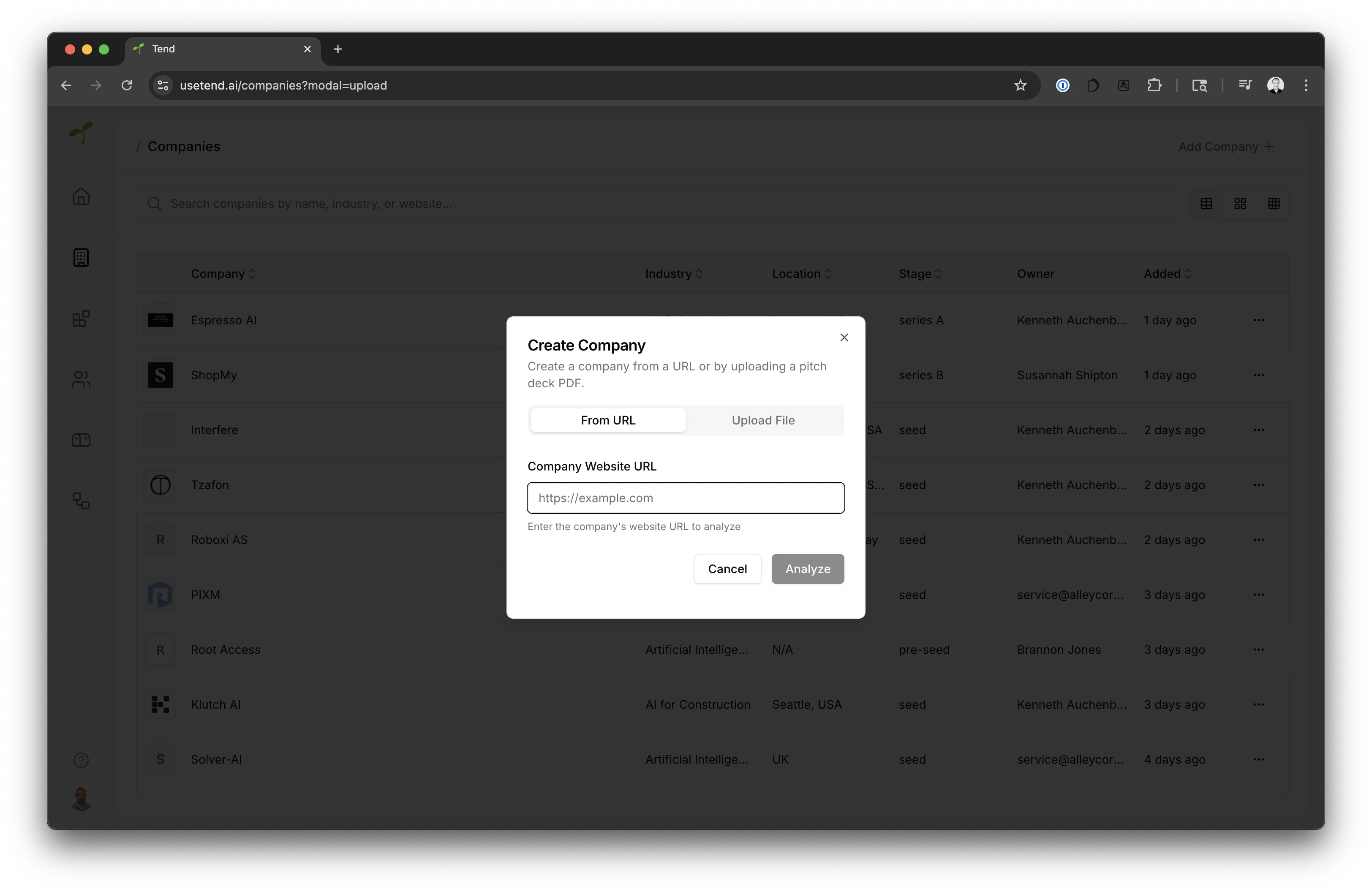
Tend is using AI to help you automaticlly ingest PDFs, docsend’s and websites, and turn them into key company information, such as company name, website, industry, etc. Simply go to theCompanies section and click Add company, from here you have the choice to upload a PDF, provide a docsend link or website url.
Once you begin to add a company, Tend will kick off a workflow to extract the company information, and create a new company in Tend.
- PDFs like pitch decks
- Docsend links (as long as they are public)
- Websites
Automatic deal tracking from emails
Tend has been setup to listen to emails sent todeals@alleycorp.com, so you can start sending deals to Tend right away.
When you send or forward an email to Tend, Tend will automatically extract the company information and create a new company in Tend.
We will use the same ingestion logic as we use for PDF, docsend’s and websites, and assign the sender as the assigned owner of the company in Tend.
In order to suffessfully ingest an email, it must contain one of the following:
- PDF attachments
- Docsend links
Syncing deals with your CRM
Tend can sync deals with your CRM, so you can keep track of your deals in one place. Today Tend is integrated with the following CRMs:- Attio